
Windows app · v0.4.2 · formerly Dynamic Island

Windsland. A live island for Windows.

A smooth, animated island at the top of your screen for music, notifications, charging and live activities, plus an optional dock for your apps. It shows what matters, then gets out of the way. Built natively for Windows, with spring physics running at your display's full refresh rate.

v0.4.2 · 46.5 MB · Windows 10 (2004+) & 11 · x64 · No .NET needed

FreeOffline, never phones homeNo admin while running

Live preview · tap a state, or hover the islandIdle

Features

Everything you need, nothing that gets in the way.

Every image below is rendered by the app itself. These aren't mockups drawn after the fact.

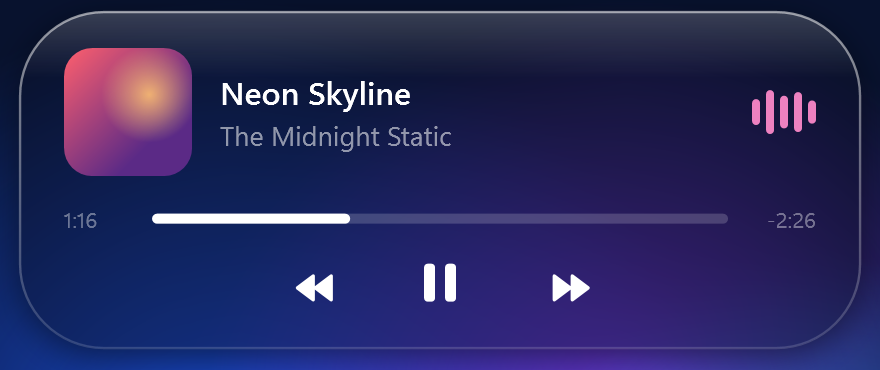
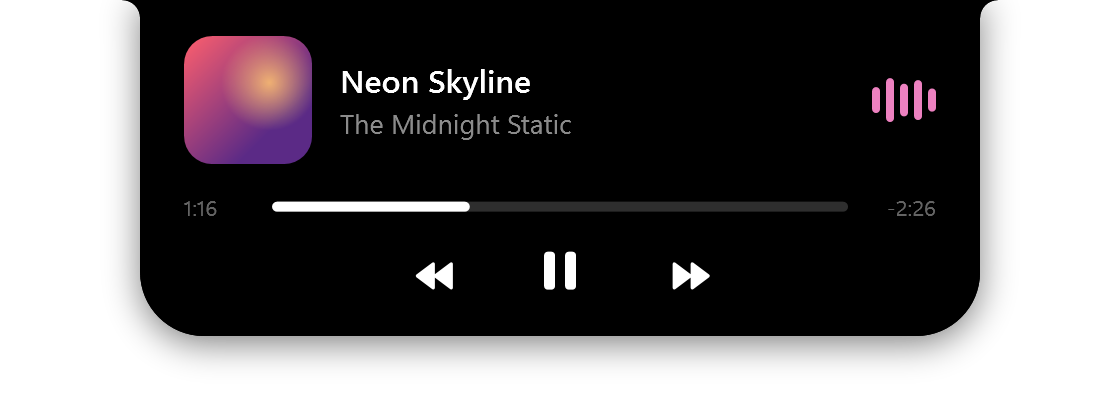
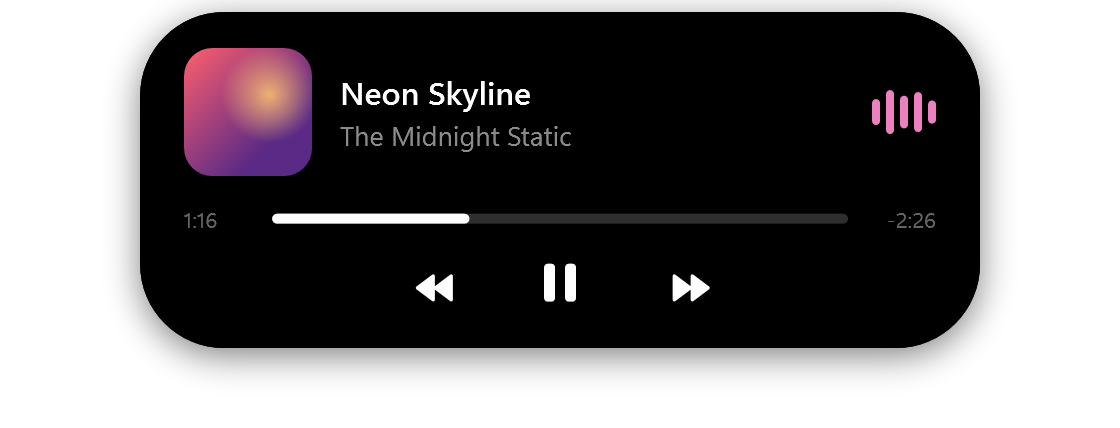
The compact island showing album art on the left and moving audio bars on the right. The expanded music player with album art, song title, artist, a progress bar and previous, pause and next buttons.

Music

Music that moves with the sound.

Album art on one side, bars on the other that follow the actual audio level and pick up their color from the album art. Hover for the full player with a progress bar and controls. It works with any player Windows knows about: Spotify, Apple Music, YouTube in your browser, VLC and more.
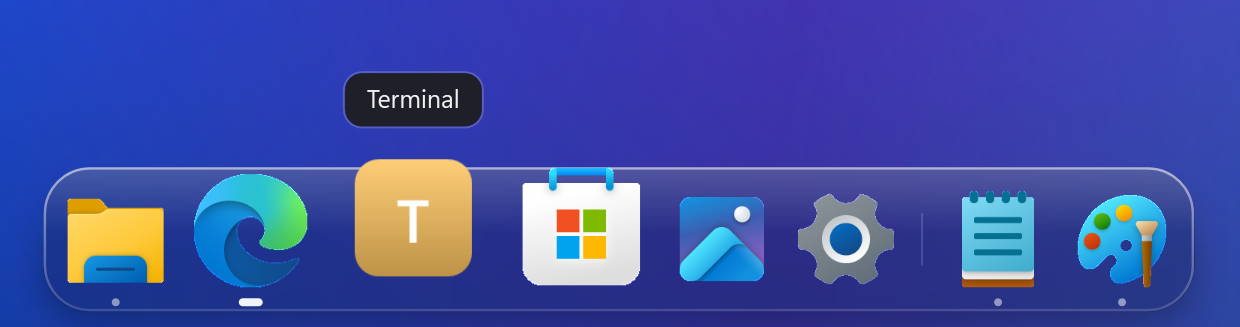
The Windsland dock: a dark glass bar with File Explorer, Edge, Terminal magnified under the pointer with its name above it, Microsoft Store, Photos, Settings, Notepad and Paint, with small dots under running apps.

New in 0.4 · Dock

A dock that feels at home on Windows.

An optional dock at the bottom of the screen: pinned and running apps, smooth magnification on hover, a Start button, Downloads and Recycle Bin, custom icons, and its own tray for background apps. It can hide the Windows taskbar while it runs and puts it back exactly as it was when you turn that off or quit.

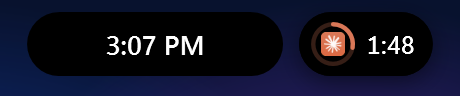
The island at rest with the clock, and a small bubble beside it showing a coding agent's progress ring and elapsed time. The music island with a timer bubble beside it counting down 4:12 with an orange progress ring.

New in 0.4 · Live activities

Progress, right where you look.

  • Downloads and File Explorer copies, with progress
  • Coding agents like Claude Code and Codex while they work
  • Timers and alarms from the right-click menu
  • A small bubble beside the island, so music keeps playing
The music player in the liquid glass look: a translucent, blurred island over a blue and purple wallpaper.

New in 0.4 · Liquid glass

Solid black, or liquid glass.

Choose the classic black island or a glass one that blurs and tints whatever is behind it, with adaptive, accent or custom colours. The dock gets the same looks, so the two always match.

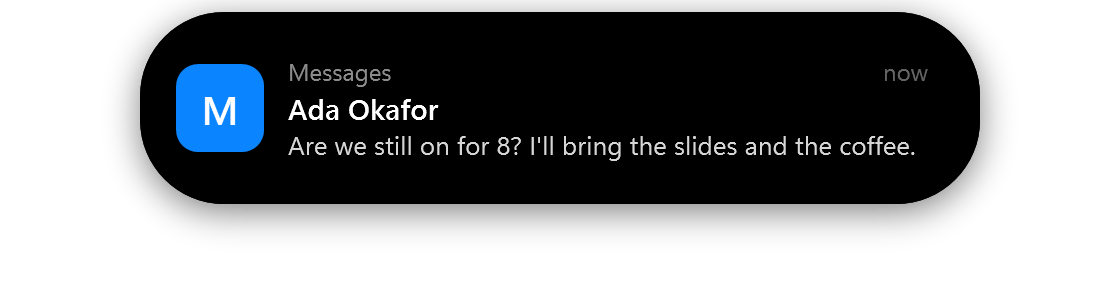
A notification banner in the island with the app icon, sender name and message.

Notifications

Notifications, beautifully.

  • App icon or the sender's photo, title and message
  • They queue up, and hovering keeps one open
  • Click to open the app it came from
  • "Only in Windsland" turns off Windows' own pop-ups, so they show only here
The Liquid charging animation: green liquid filling the island to 82 percent with a bolt and a soft green glow.

Charging

A little moment when you plug in.

Pick from four animations: Liquid fills the island to your battery level, Ring and Edge trace light around it, and Classic shows a bolt and a filling battery. Then it settles back.

Pill style: a small floating black pill.
Pill
Notch style: attached to the top edge with curved ears, like a MacBook notch.
Notch
Line style: a thin gray line at the top of the screen.
Line

Styles

Pill, Notch, Line or Hidden. Your call.

Go with a floating pill, a notch hanging from the top edge, a thin line that springs into the island when you hover or something happens, or Hidden, invisible until then. While music plays, the line takes the album art's color and pulses with the sound. Switch styles from the right-click menu anytime.

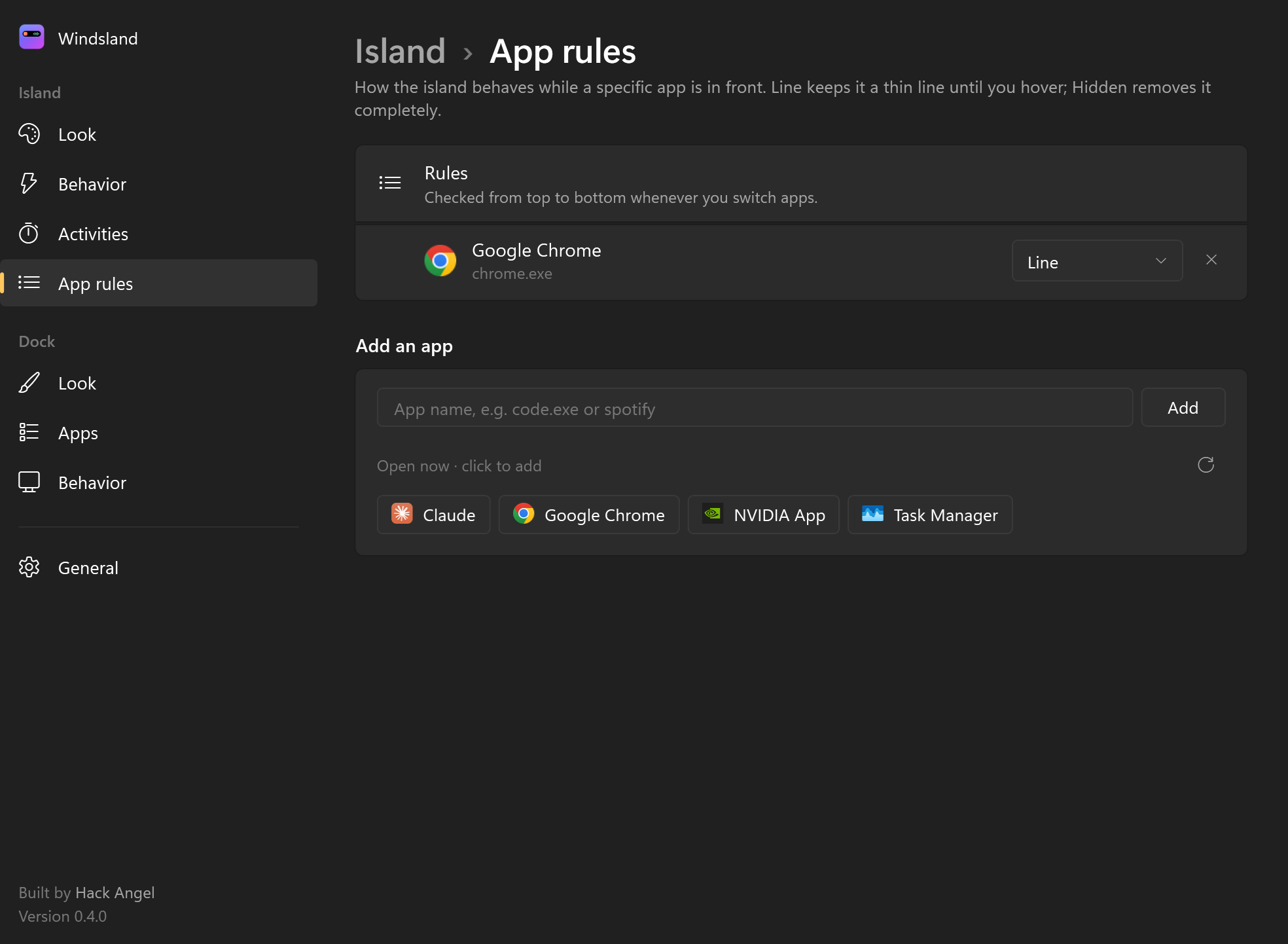
The App rules page in Settings, with a rule setting Google Chrome to Line and the apps that are open now, ready to add.

App-aware

It knows what you're doing.

  • Per-app rules: Normal, Line until hover, or Hidden
  • Steps aside during fullscreen games and videos
  • Optionally becomes a line over maximized windows
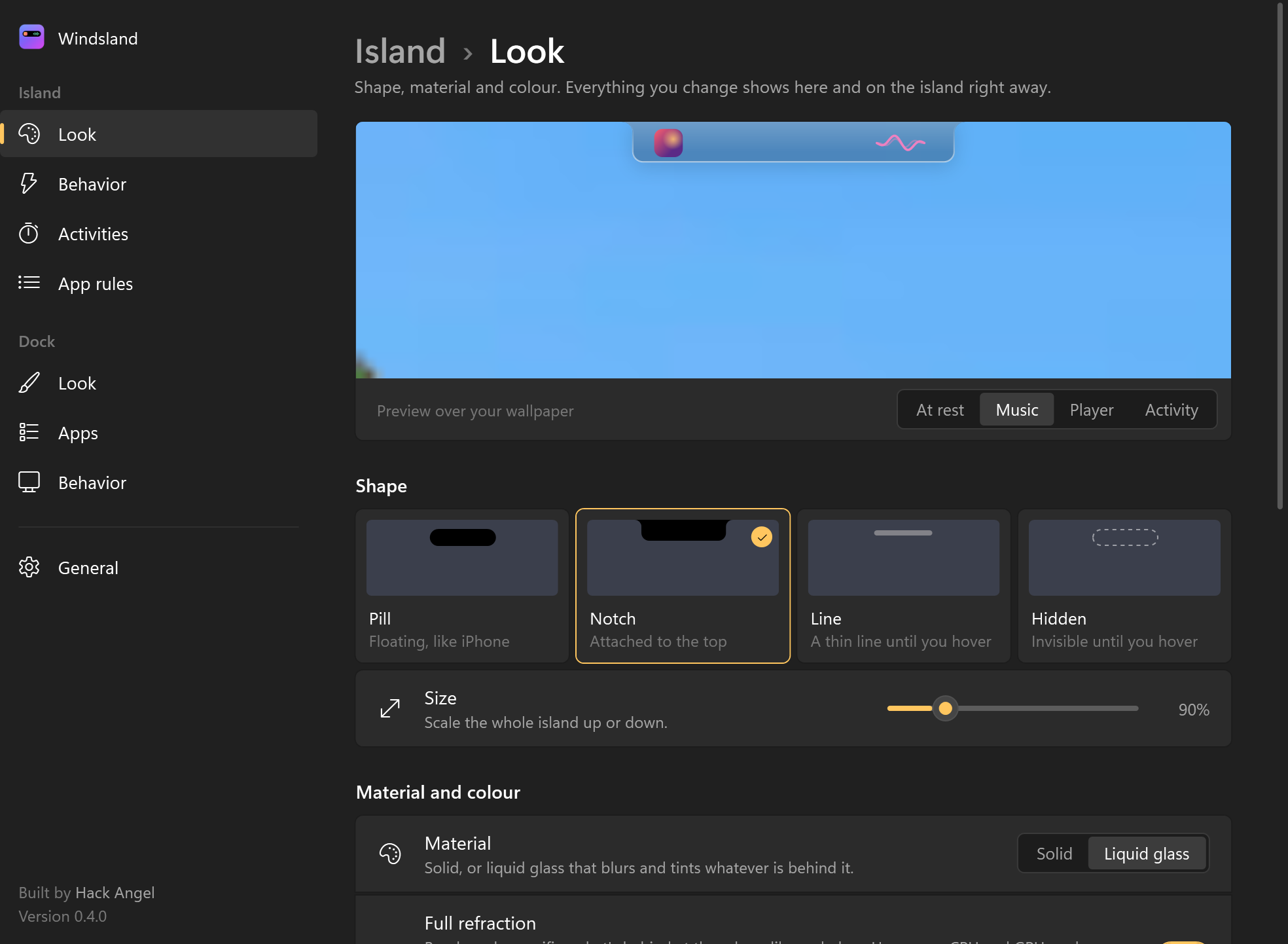
The Island Look page in Settings: a live preview over the wallpaper, Pill, Notch, Line and Hidden shape cards, a size slider and material options.

Settings

Make it yours, instantly.

A calm, Windows 11-style settings app for the island and the dock, with a live preview over your own wallpaper: shape, glass and colour, size, behavior, activities, app rules and dock apps. Every change applies the moment you make it.

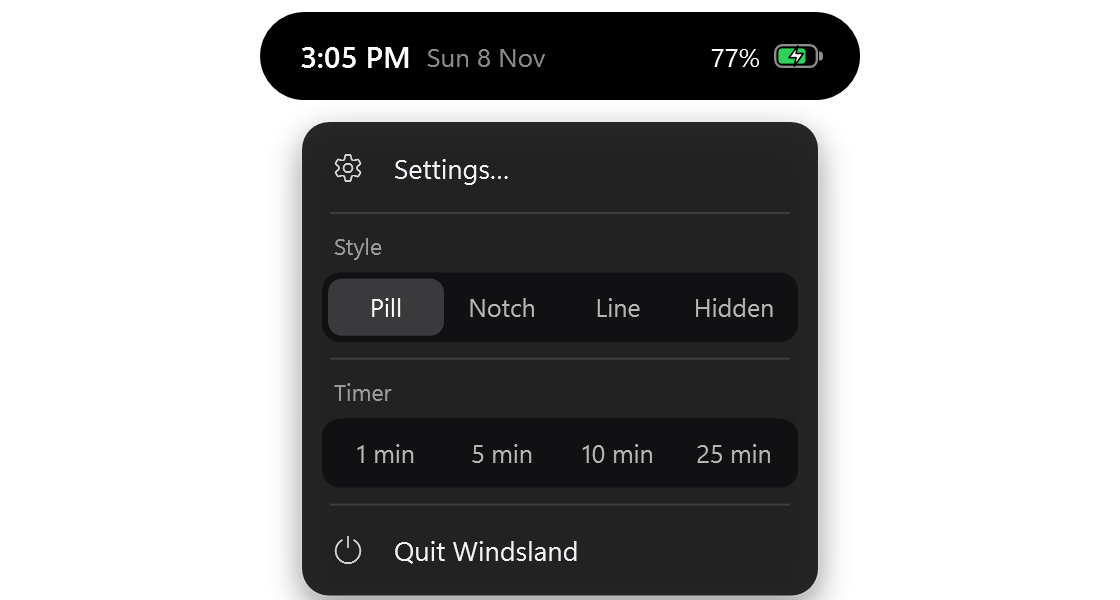
The right-click menu under the island, with Settings, a Pill, Notch, Line and Hidden switcher, quick timers and Quit Windsland.

Quick menu

One right-click away.

Settings, a style switcher, quick timers and quit, in a menu that opens neatly under the island and closes when you click away.

The notch style expanded into the music player.

Motion

Feels alive.

Every resize and transition runs on spring physics at your monitor's refresh rate, with blur-and-scale crossfades between states.

The island expanded on hover, showing the time, date and battery level.

Unobtrusive

Never in your way.

Hover for the time and battery. Clicks pass straight through everywhere outside the island, and it never takes focus or shows up in Alt+Tab.

Privacy & security

Private by design. Hardened by default.

An app that sits on your desktop all day should never become a way in. Here's what Windsland does, and what it refuses to do.

No network

Never connects to the internet.

No telemetry, no update checks, no remote content. Everything stays on your PC.

Least privilege

Your normal rights, nothing more.

It never asks for admin while running, and reads music and notification info read-only.

Hardened

Shut against common attacks.

It blocks DLL hijacking, refuses notification images from network shares (which can leak your login hash), and safely handles notification content and launch commands.

Clean install

Program Files by default.

Ordinary programs can't tamper with its files. Uninstalling removes everything, and can delete your settings too.

Verifiable

Checksums for every release.

Confirm that your download is exactly the file that was built (see below).

No logging of content

Your messages stay yours.

Logs record app names and states only, never what your notifications say.

Read the full privacy policy →

Install

Up and running in a minute.

  1. Download

    Get Windsland-Setup.exe (46.5 MB). Everything it needs is included, so there's no .NET install.

  2. Run the installer

    Choose all users (recommended) or just you. Optionally have it start when you sign in, or add a desktop shortcut.

  3. Look up

    The island appears at the top of your main screen. Hover to open it, and right-click for Settings and styles.

About the Windows warning. Early releases aren't code-signed yet, so Windows SmartScreen may say "Windows protected your PC". Check the checksum below, then choose More info → Run anyway. A signed build is on the way.
d3ff72eda6ab7dcc65eef103ba9d31b269f70c16729a71aefa019007d532d495

PowerShell: (Get-FileHash .\Windsland-Setup.exe -Algorithm SHA256).Hash

OSWindows 10 2004+ / Windows 11CPUx64Disk~165 MBUninstallSettings → Apps

FAQ

Questions, answered.

Is it free?

Yes. Download it, install it and use it.

Which music apps does it work with?

Any app that reports to Windows' media controls: Spotify, Apple Music, YouTube and other sites in Chrome or Edge, VLC, and more. If the volume flyout shows the song, the island will too.

Will it get in the way of my work or games?

No. It hides during fullscreen games and videos, clicks pass through everywhere around it, and you can set apps like your browser to show only a thin line until you hover.

Why does Windows warn me when I run the installer?

Early builds aren't code-signed yet, so SmartScreen doesn't recognize the publisher. Compare the SHA-256 checksum above with your download, then choose More info → Run anyway.

Does it read my notifications or send them anywhere?

It reads them from Windows to display them, and that's all. It never connects to the internet, and it never writes message content to its logs.

How do I uninstall it?

Settings → Apps → Installed apps → Windsland (Dynamic Island on older versions) → Uninstall. You'll be asked whether to remove your settings too.

Why is it called Windsland now?

It was called Dynamic Island until November 2026. "Dynamic Island" is Apple's name for a feature of the iPhone and a trademark of Apple Inc., so the app now has a name of its own. Windsland is an independent app from Hack Angel and isn't affiliated with or endorsed by Apple. Same app, same developer, new name.

Give your desktop an island.

v0.4.2 · 46.5 MB · All releases ↗